Take Full Control of Your Email Marketing
Effortlessly create, manage, and grow your campaigns with a modern, self-hosted email marketing automation platform.
Whether you are a seasoned professional or just starting out, Interspire’s comprehensive, yet intuitive, suite of features enables you to send targeted, high-converting emails with ease.
Comprehensive Email Campaign Management
Advanced List Management
“I have been using Interspire to send marketing messages for many years. It’s a wonderful resource, easy-to-use and extremely economical. I’d highly recommend it!
Kurt G.
Email Design
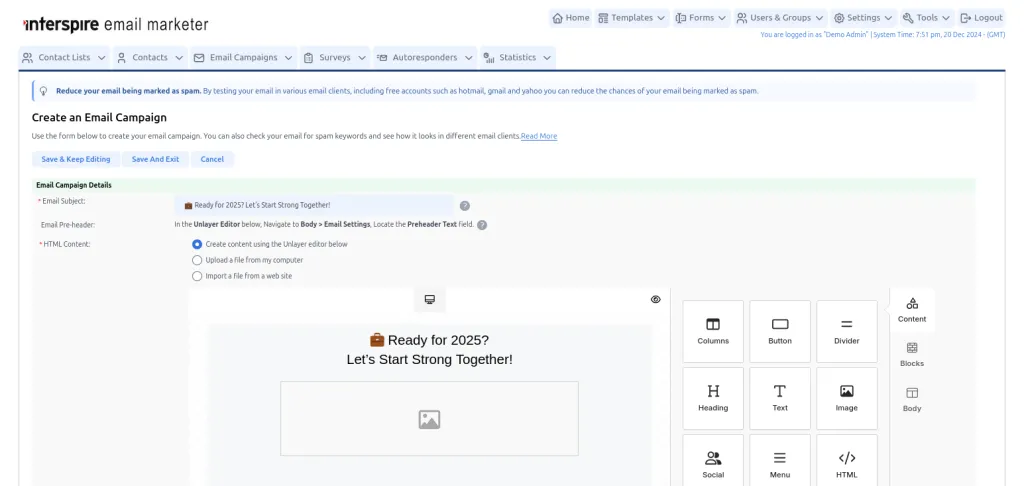
Screenshot of the Drag and Drop Editor
Analytics and Reporting
Security
Scalability and Integration
Did you say Surveys are Included?
Why Choose Interspire Email Marketer?
Whether you need to nurture leads, automate campaigns, or maintain compliance, Interspire Email Marketer provides a flexible and scalable solution designed to grow with your business.
- User-Friendly: Designed for marketers of all skill levels, offering an intuitive interface without compromising advanced capabilities.
- Customizable: Tailor the platform to meet your specific business needs, from branding to functionality.
- Reliable Support: Access dedicated customer support for assistance with any challenges you may encounter.
- One-Time Purchase: Enjoy a cost-effective solution with a one-time purchase model, eliminating recurring subscription fees.
Interspire Email Marketer is continually updated to incorporate new features and improvements, ensuring it remains a leading choice for businesses seeking a robust and reliable self-hosted email marketing solution.
- There is an exception if using an optional external editor (e.g. Unlayer) where assets (images) will be stored by the external editor provider ↩︎