How to Choose the Right Email Editor in Interspire

Editor Choice in Interspire

When it comes to email marketing, how you create your emails matters. Whether you are a developer pasting in custom HTML, a marketer designing beautiful layouts, or a team automating campaign workflows, your email editor should match your needs—not limit them. That’s why Interspire, the self-hosted email marketing platform, includes three different email editors: TinyMCE, … Read more

What are the Components Needed to Self-Host an Email Marketing Automation Platform

Components to self-host an email marketing platform

If you have determined that a self-hosted solution might be a good fit for your needs, what are the components needed to successfully run a self-hosted marketing automation platform? The four main components are: the software, a server, an SMTP provider, and a mailbox to collect the bounces.  Self-hosting is not complicated. Let’s go over … Read more

What Are Drip Campaigns and How Do You Use Them?

Hand-drawn What Are Drip Campaigns and How Do You Use Them? tutorial illustration with sequence of envelopes with drops, timeline arrow, small clock intervals icons

Drip campaigns are essential if you want to stay ahead of the competition. Drip emails are one of the better ways to connect with your audience and provide them value over time. What are they and how can you use them to better engage with your audience and customers? What is a Drip Campaign A … Read more

Sending Your First Email Campaign

Hand-drawn Sending Your First Email Campaign tutorial illustration with launch/send button, single envelope taking off, small flag milestone icons

This is a walkthrough for a first-time sender: create a list, add contacts, prepare a basic campaign, and send it. For recurring or operational work such as segments, schedules, testing, delivery options, and troubleshooting, see Sending Email Campaigns. Step 1. Create your contact list A contact list holds the people you will email—at minimum an … Read more

Finding, Filtering and Segmenting Your Contacts

Hand-drawn General Tutorials tutorial illustration with open book, play button, stepping stones path icons

Filtering lets you work with a smaller, targeted selection of your contacts rather than an entire list. You can use it to find one person, isolate an entire domain, pull everyone who bounced, or build a segment for a campaign. The same filtering panel appears in three places: when viewing contacts under Contacts → View … Read more

Sending Emails Based on Subscriber Segmenting

Hand-drawn Sending Emails Based on Subscriber Segmenting tutorial illustration with funnel filter, divided audience groups, targeted envelope icons

In this brief tutorial you’ll learn how to setup a mailing list with custom fields to collect the age and sex of your subscribers when they signup. After that you’ll learn how to segment your mailing list and only send your email campaign to males over the age of 21. Creating your mailing list with … Read more

Autoresponders: Setup and FAQ

Hand-drawn Autoresponders tutorial illustration with stacked envelopes, clock, and automation arrow icons

What is an Email Autoresponder? An autoresponder is an email or a sequence of emails that you set up to be sent out at a pre-determined time after someone subscribes to your contact list. Specific emails in the sequence can be configured to be sent only if certain criteria have been met. For example you … Read more

Contact Lists

Hand-drawn Contact Lists tutorial illustration with clipboard with names, grouped person icons, checklist icons

Contact Lists FAQ: I can’t delete contact lists. After I click “delete”, my browser shows me that the page is loading, but loading never finishes. This issue is caused by your MySQL server failing to process your DELETE query, because the total number of row locks exceeds the lock table size. Email Marketer tells me … Read more

Custom Fields & Mail Merge

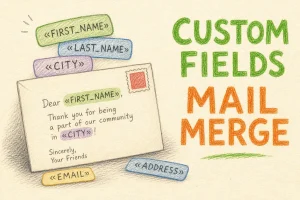
Hand-drawn Custom Fields & Mail Merge tutorial illustration with merge field tokens, personalized envelope, name placeholder tags icons

What Are Custom Fields and Why Use Them? Custom Fields (also called Mail Merge Fields) allow you to personalize emails by inserting specific subscriber information—such as names, company names, or signup dates—into your messages. You can also use these fields to segment your audience so that only contacts matching certain criteria receive specific content. For … Read more