

Autoresponders and Triggers Overview
Interspire Email Marketer provides two distinct automation features accessed through the Autoresponders menu in the navigation bar.
While both features help you automate email marketing, they serve different purposes and work in different ways.
Autoresponders: Time-Based Email Sequences
Autoresponders are automated emails sent at scheduled intervals after a contact joins a list.
Key Characteristics
- Time-based: Emails are sent based on time delays (e.g., 1 day after signup, 7 days after signup)
- Sequential: Create multi-step email sequences (welcome series, onboarding flows, drip campaigns)
- List-triggered: Activated when a contact is added to a contact list
Common Use Cases
- Welcome email series for new subscribers
- Onboarding sequences for new customers
- Educational drip campaigns
- Post-purchase follow-up sequences
Learn More
For detailed information about creating and managing autoresponders, see:
Triggers: Event-Based Automation
Triggers are automated actions that fire in response to specific events or conditions.
Key Characteristics
- Event-based: Actions occur when specific conditions are met (dates, email engagement, subscriptions)
- Immediate or scheduled: Can fire instantly or at specified times relative to an event
- Multi-action: Can perform multiple actions simultaneously (send email, add to list, notify owner)
- Flexible: Support 9 different trigger types and 4 action types
Trigger Types
Triggers can be activated by:
- Date-based events: Birthdays, anniversaries, specific dates
- Email engagement: Opens and clicks in campaigns or autoresponders
- Subscription events: List or segment subscriptions
Common Use Cases
- Birthday and anniversary campaigns
- Welcome emails that fire immediately upon subscription
- Sales team notifications when contacts take specific actions
Learn More
For detailed information about creating and managing triggers, see:
Key Differences
| Feature | Autoresponders | Triggers |
|---|---|---|
| Activation | Time-based (after joining list) | Event-based (specific conditions met) |
| Timing | Scheduled delays | Immediate or relative to event |
| Primary Use | Sequential email series | Conditional automation |
| Actions | Send emails only | Send emails, manage lists, notify owners |
| Best For | Onboarding, drip campaigns | Date campaigns, engagement automation |
Viewing Statistics
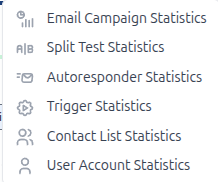
Both autoresponders and triggers have dedicated statistics pages: